
How many hours does your team spend counting boxes, fixing typos in spreadsheets or hunting for items the system says you have? If the answer is “too many,” a barcode inventory system could change the way you work. In simple terms, it lets you scan items instead of typing them, so your stock numbers update fast and stay accurate.
Below, you will learn how these systems work, what they cost and how to set one up without headaches. Along the way, you will also see the mistakes that trip up new users.
What Is a Barcode Inventory System?
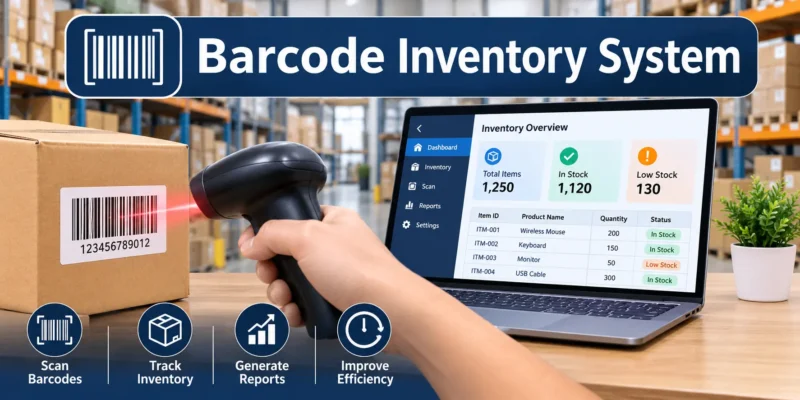
Basically, it is a setup that combines three things: barcode labels, a scanner and inventory software. Each product or bin gets a unique code. Then, every time stock moves, someone scans it, and the software updates the count right away.
For example, a small online store receives 50 phone cases. Instead of typing each SKU into a spreadsheet, a worker scans the box label once and enters the quantity. As a result, the website shows the new stock within seconds.
Better still, this approach works for nearly all types of inventory, from raw materials and spare parts to finished products sitting on store shelves.
How an Inventory Barcode System Works Day to Day
In practice, the process follows the life of each item. First, goods arrive and get scanned in. Next, they move to a shelf, where a scan records the location. Finally, staff scan them again when they ship out or get used.
During receiving, many businesses scan incoming boxes against the original order. That way, if you already know what is a purchase order, you can see how the system checks that you got exactly what you paid for.
1D vs. 2D Barcodes
Generally, you will choose between two code styles. On one hand, 1D barcodes are the classic striped lines, such as UPC and Code 128. On the other hand, 2D codes, like QR codes and Data Matrix, store far more data in a small square.
| Feature | 1D Barcode | 2D Barcode |
|---|---|---|
| Look | Vertical lines | Square pattern |
| Data stored | Short code (like a SKU) | Much more (batch, date, URL) |
| Scanner needed | Basic laser or imager | 2D imager or phone camera |
| Best for | Retail products, simple stock | Parts tracking, small items, batches |
Also, if you sell through big retailers, you will likely need official UPC codes from GS1 US. However, for internal tracking only, your software can usually create its own codes.
The Hardware You Need
At minimum, you need something to scan with and something to print labels on.
- Scanners: USB or Bluetooth handheld scanners, rugged mobile computers or a smartphone app.
- Label printer: Thermal printers are the most common choice because they print fast and need no ink.
- Labels: Paper works indoors, while polyester labels hold up better in cold or damp spaces.
The Software Side
Meanwhile, the software stores your item list, quantities and locations. Usually, it also creates reports, sends low-stock alerts and connects to tools like your online store or accounting app.
Benefits of a Barcode Inventory Management System
So why do so many businesses switch? Here are the biggest wins.
- Fewer errors: Scanning beats typing, since nobody mixes up digits.
- Faster work: Counts, receiving and picking take minutes instead of hours.
- Real-time data: Managers see current stock, not last week’s guess.
- Easier training: New staff learn to scan in one shift.
- Better decisions: Clear sales and usage data show what to reorder and what to drop.
On top of that, scanning makes nearly all inventory control methods easier to run. For instance, cycle counting and ABC analysis both depend on accurate numbers, and barcodes deliver exactly that.
A Few Drawbacks to Weigh
Of course, no system is perfect. First, there is a setup cost for hardware, labels and staff time. Second, labels can get damaged, dirty or torn. Third, the system only works if people actually scan every movement.
Still, for most businesses with more than a few dozen products, the time savings outweigh these issues within months.
How Much Does a Barcode Inventory System Cost?
Honestly, costs vary a lot by size. Roughly speaking, a basic handheld scanner starts around $30, while rugged mobile computers can run well over $1,000. Likewise, thermal label printers range from budget desktop models to heavy-duty warehouse units.
Is There a Barcode System for Inventory Free?
Yes, to a point. Many inventory apps offer free plans with limits on items or users. Also, some phone apps turn your camera into a scanner at no cost. So, if you search for a barcode system for inventory free of charge, you can test the idea before spending money.
That said, free tools often lack multi-location support, integrations and solid customer help. Therefore, treat them as a starting point rather than a long-term home.
Paid Software Plans
Typically, paid tools charge a monthly fee per user or per location. In exchange, you get features like purchase tracking, multiple warehouses and links to your sales channels.
How to Set Up an Inventory System With Barcode Scanning in Six Steps
Ready to start? Follow this simple order.
- Clean up your item list. To begin, give every product a clear name and a unique SKU.
- Pick your software. Next, choose a tool that fits your size and connects to your sales platform.
- Choose your hardware. After that, decide between phones, handheld scanners or both.
- Print and apply labels. Then, label products, shelves and bins so every spot has a code.
- Do a full starting count. From there, scan everything once so your numbers begin accurate.
- Set reorder alerts. Finally, base your reorder points on how long suppliers take to deliver.
For step six, understanding what is lead time helps you set alerts early enough, so new stock arrives before shelves go empty.
Common Mistakes to Avoid
Even a great setup can fail if a few basics slip.
Skipping Scans “Just This Once”
Every unscanned movement makes your data less reliable. Over time, small gaps turn into big mismatches. Because of this, make scanning a non-negotiable habit.
Using Cheap Labels in Tough Spots
Paper labels fade in sunlight and peel in freezers. Instead, match the label material to the environment.
Rushing Staff Training
Although scanning is easy, the rules around it are not always obvious. So, show your team when to scan, what to do with damaged codes and how to fix mistakes.
Real-World Barcode Inventory System Examples
To make this concrete, here is how different businesses use scanning.
- Retail boutique: Staff scan items at checkout, and stock drops automatically on the website too.
- Auto repair shop: Mechanics scan parts as they use them, so each job shows exact part costs.
- Small warehouse: Pickers scan bin locations, which cuts wrong shipments sharply.
In retail, labels often carry price details too. Therefore, knowing what is MSRP helps you print tags that show both the suggested price and your actual selling price.
Quick Answers to Common Questions
Can I use my phone as a barcode scanner?
Yes. In fact, many apps use your camera to scan both 1D and 2D codes. However, dedicated scanners are faster for high volumes.
Does a barcode inventory system work for small businesses?
Absolutely. Actually, small teams often see the biggest time savings, because they have fewer people to spare for manual counts.
Do I need official UPC codes?
Only if you sell through retailers or marketplaces that require them. Otherwise, internal codes work fine.
What is the difference between barcodes and RFID?
Basically, barcodes need a direct line of sight to scan. By contrast, RFID tags use radio waves and can be read in bulk, but they cost more per tag.
Where to Go From Here
Start with a small test. For example, label one product category, try a free app and track it for two weeks. If the counts stay accurate and your team likes it, roll it out to the rest of your stock.
After that, upgrade your scanners and software as you grow. Step by step, you will spend less time counting and more time selling.